Skip to content
[ivory-search id="2595" title="AJAX Search Form"]
Home
About Us
VA Services
Real Estate Virtual Assistant
Bookkeeping Virtual Assistants
Insurance Virtual Assistants
Executive Virtual Assistants
Medical Virtual Assistant
Sales Virtual Assistants
E-Commerce Virtual Assistant
Customer Service Virtual Assistant
Marketing Virtual Assistants
HR Virtual Assistants
Lead Gen Virtual Assistants
Recruitment Virtual Assistants
Marketing Solutions
CRM Solutions
Search Engine Optimization
Video Editing Services
Social Media Management
Web Development
Tutorial Services
Frequently Asked Questions
Events
Event Rentals
Workshops
Careers
Career Opportunities
Home
About Us
VA Services
Real Estate Virtual Assistant
Bookkeeping Virtual Assistants
Insurance Virtual Assistants
Executive Virtual Assistants
Medical Virtual Assistant
Sales Virtual Assistants
E-Commerce Virtual Assistant
Customer Service Virtual Assistant
Marketing Virtual Assistants
HR Virtual Assistants
Lead Gen Virtual Assistants
Recruitment Virtual Assistants
Marketing Solutions
CRM Solutions
Search Engine Optimization
Video Editing Services
Social Media Management
Web Development
Tutorial Services
Frequently Asked Questions
Events
Event Rentals
Workshops
Careers
Career Opportunities
Book a Tutor
Hire a VA
ONLINE TUTORS
How to Book an Online Tutor
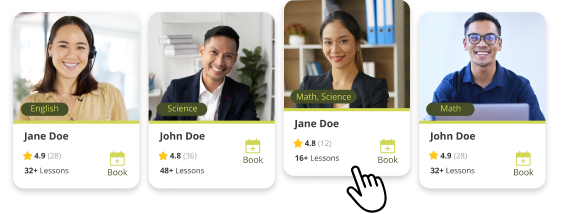
1. Browse Available Tutors
Filter by Criteria: Use filters to narrow down tutors by subject, price range, availability and qualifications.
Check Reviews: Read feedback from other students or parents to guage the tutor’s effectiveness.
Review Qualifications: Look at the tutor’s and experience in the subject area.
2. Contact Avocado VA Tutors
Send an Inquiry: e-mail us at info@avocadova-portal.local
Discuss Specific Needs: What subjects need to be learned? (e.g., Math, Science).
3. Book a Session, Select a Date and Time:
Based on the tutor’s availability, choose a time that works for both you and the tutor.
Choose a Session Length.
Confirm Payment Method:
4. Set Up the Necessary Communication Tools
Choose your preferred online platform setup:
Test Your Equipment:
5. Prepare for the First Session.
Share Relevant Information, Set Clear Expectations, Be Ready to Engage.
6. Evaluate the First Session Review Progress:
After the first session, reflect on whether the tutor’s style and approach align with your goals.
Provide Feedback:
Let the tutor know what is working well and if you’d like to adjust anything for future sessions.
7. Schedule Ongoing Sessions
Book Regular Sessions: If you’re satisfied with the tutor, you can continue booking sessions as needed (e.g., weekly, bi-weekly).
Adjust Based on Progress: You can always adjust the frequency of duration of sessions based on how you’re progressing.